How to keep a workout log
Record the exercise, weight, unit and reps for each completed set. Keep last time’s results beside today’s.
On this page
Record the essentials
Keep enough detail to understand the session when you return to the exercise. Use a notebook, spreadsheet or app you can update between sets and find again later.
Before starting, choose the exercise name and load convention. “Dumbbell press, 20 kg per hand” is clearer than an unlabeled “40.” For a barbell, record the total including the bar if that is your chosen convention. A machine label is most useful alongside the machine or setup, because identical numbers on different equipment do not establish identical resistance.
Add notes when the equipment, exercise order or setup changes. Keep names consistent so you can find comparable sessions.
Keep plans and results separate
A plan of three sets of eight is a target. A result of eight, eight and seven reps is a record. Copying the target into every completed row hides the detail you wanted to keep.
In this example, the load stays at 60 kg and the third set gains one rep.
| Set | Previous session | Current session |
|---|---|---|
| 1 | 60 kg × 8 | 60 kg × 8 |
| 2 | 60 kg × 8 | 60 kg × 8 |
| 3 | 60 kg × 7 | 60 kg × 8 |
Download this completed example as CSV, or enter your own values in the editable workout log. The file uses the same export columns as that browser tool. The CSV opens in spreadsheet software; it does not transfer to Flame.
Mark working sets and warm-ups
Label warm-ups separately and mark a set complete only after you perform it.
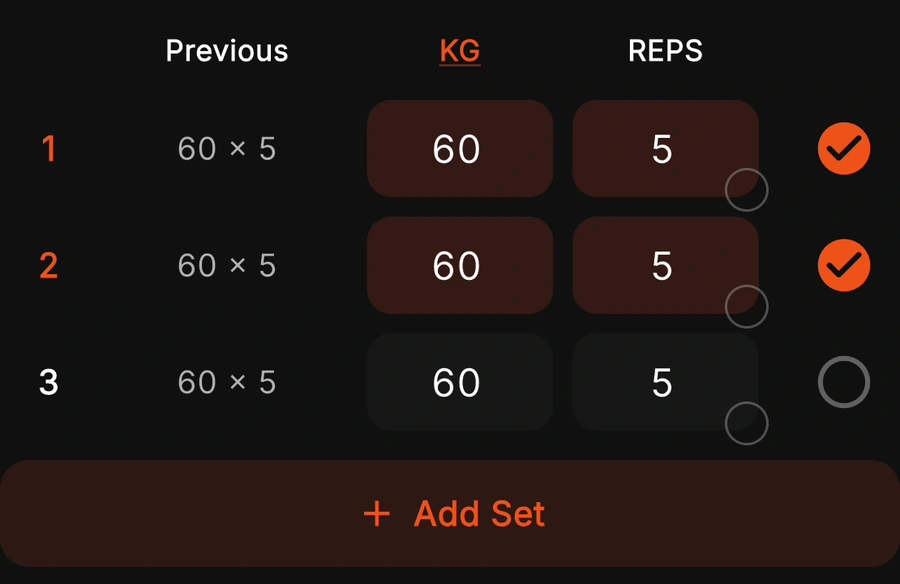
In Flame, finish the workout to keep it in completed history. Previous uses completed working sets from the latest workout containing that exercise, across routines. Warm-ups and unfinished sets are excluded. See the Previous matching rules.
If a volume total looks unexpected, check the included sets and load convention first.
Review the session
Check missing units, accidentally copied targets and incomplete rows before putting the record away. Keep any context that will matter next time. Optional effort or rest notes can help describe a session, but a number without a defined scale is difficult to interpret later.
For the example above, previous volume is 60 × (8 + 8 + 7) = 1,380 kg·reps. Current volume is 60 × 24 = 1,440 kg·reps. The difference is 60 kg·reps, about 4.35%. That describes recorded load and reps under this convention, not the quality of the workout.
Use the volume calculator to check arithmetic and the progress metrics guide to interpret different numbers. Before relying on a copy for safekeeping, open it and check that the records you need are present.
Keep a copy
A sheet gives you control over columns and formulas. An app keeps history and routine context near the active set.
Our browser log does not upload or persist entered workout values. Download a CSV or print your sheet before reloading. Those entries do not transfer to Flame. If you are deciding between formats, use the app versus spreadsheet guide; if you already have years of records, read the switching checklist first.
Sources & review
Examples are illustrative. Flame behavior follows the source review in our product guides. Comparisons use official documentation; current competitor builds were not tested.